
1. Program overview
The program manages historical Lotto 6 aus 45 and Joker draws, shows the latest draw with prize information, creates rule-based random tips and calculates extensive statistics. All draw data is stored locally in an SQLite database.
| Feature | Description |
|---|---|
| Four main tabs | Latest draw, draw tips, statistics and settings. |
| Safe updates | All enabled CSV sources are checked together and backups are created before changes are made. |
| 10 tips by default | Between 1 and 50 locally generated random tips can be created. |
| Linux Mint integration | Light/dark mode, accent colour and system font are adopted automatically. |
2. Installation and start
Requirements: Linux Mint, Python 3 and Tkinter (python3-tk). An internet connection is only needed for online updates.
- Download and extract the ZIP archive.
- Open a terminal in the extracted project folder.
- Make the installer executable:
chmod +x installieren_und_starten.sh. - Start the installation with
./installieren_und_starten.sh.
The application is installed to ~/python/lotto. An existing installation is backed up first. The existing lotto.db, the master CSV and custom download sources are retained.
lotto.db is missing at start-up, it is rebuilt automatically from the supplied master CSV.3. “Latest draw” tab
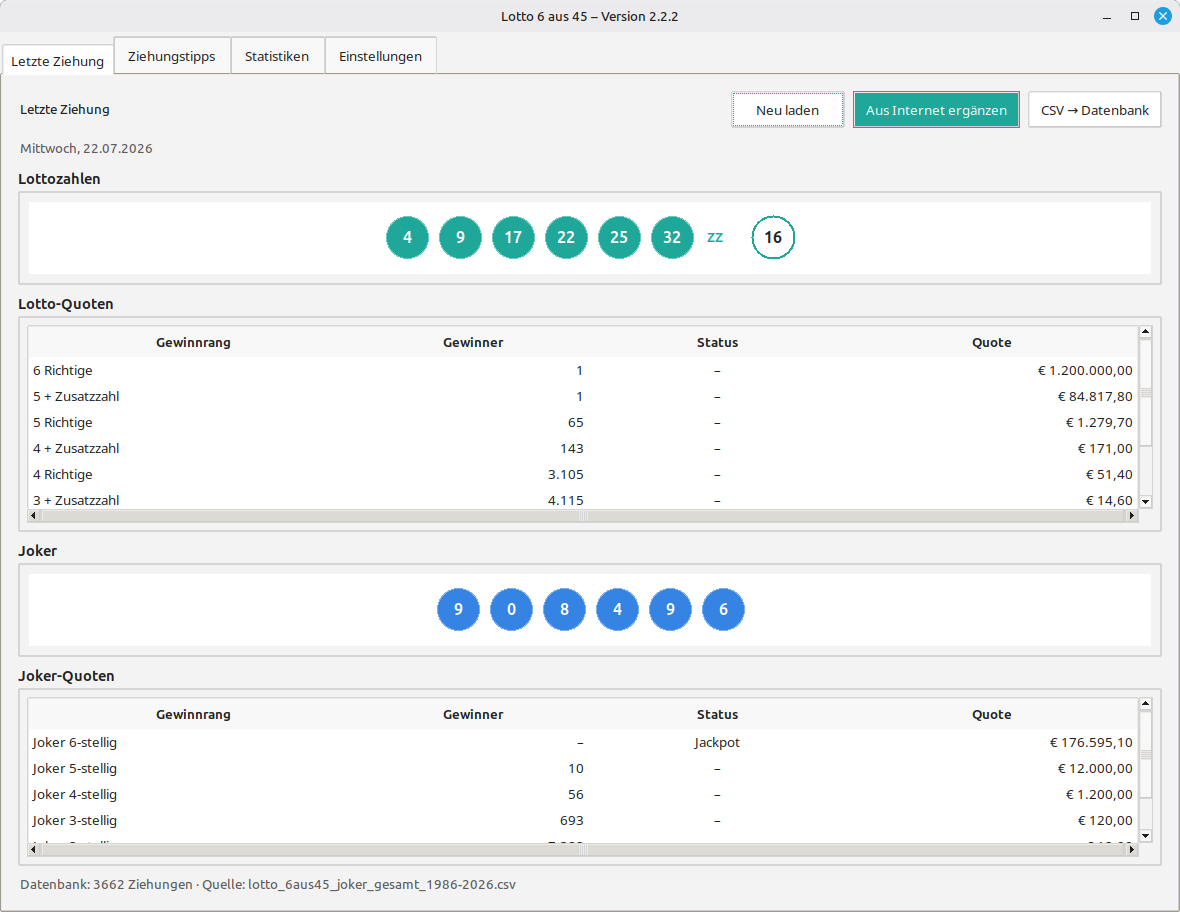
- Reload: Reads the latest draw from the local database again.
- Add from internet: Downloads all enabled sources, validates them and merges new draws or later prize information.
- CSV → database: Rebuilds the SQLite database from the local master CSV.
4. “Draw tips” tab
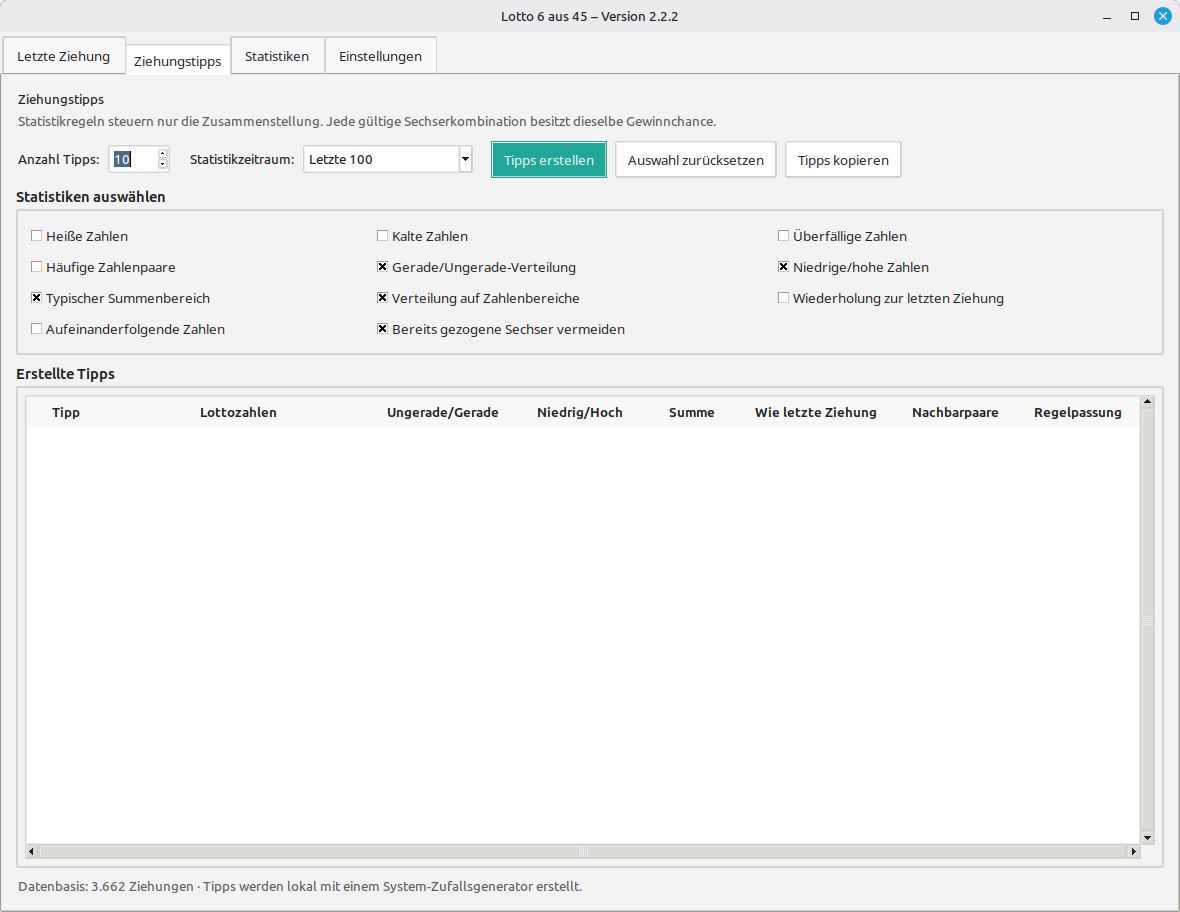
The statistical period and individual selection rules can be combined. The program uses a system random generator and evaluates the generated combinations against the enabled rules.
| Rule group | Available choices |
|---|---|
| Frequency | Hot, cold and overdue numbers; frequent number pairs. |
| Distribution | Odd/even, low/high, typical sum and number ranges. |
| Draw pattern | Repetitions from the previous draw, consecutive numbers and historic six-number combinations. |
5. “Statistics” tab
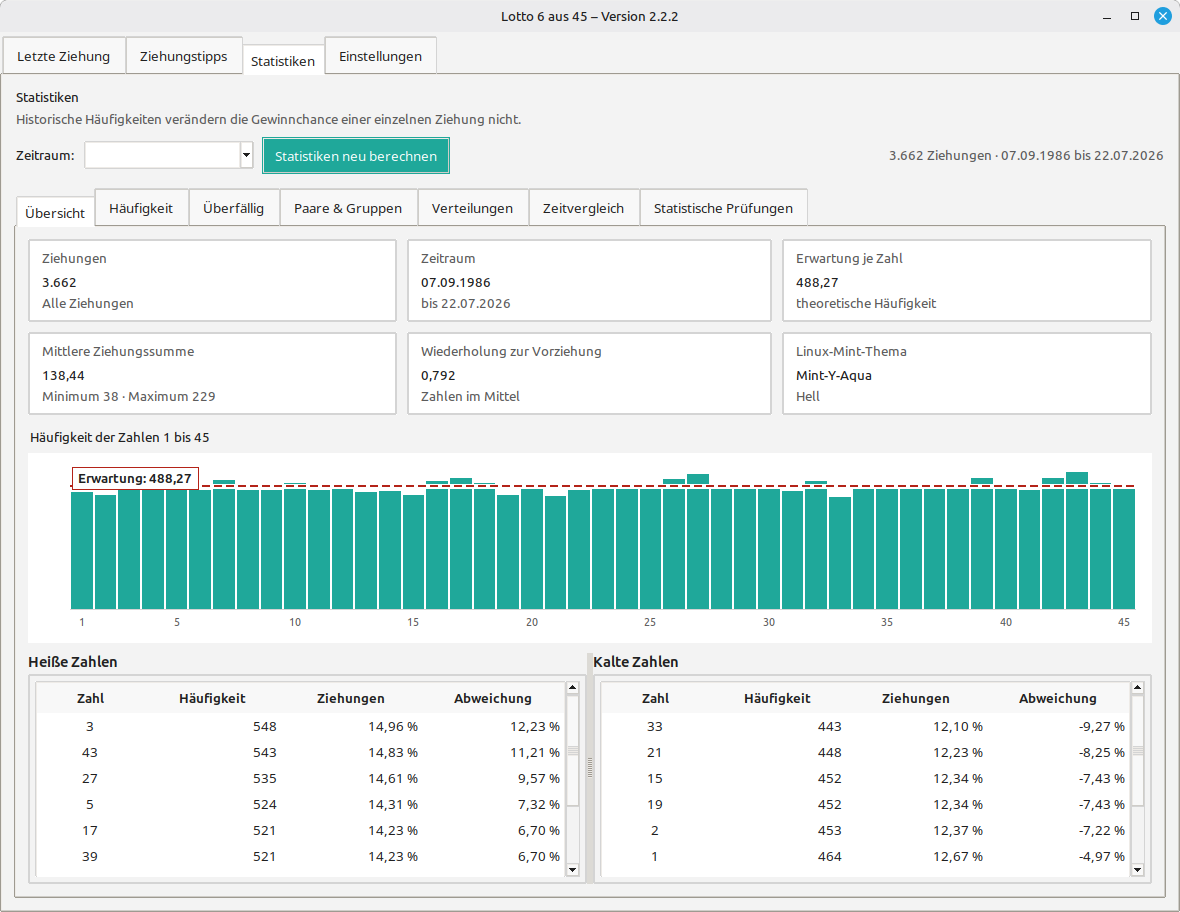
- Overview and frequency of numbers 1 to 45.
- Overdue numbers and average or maximum gaps.
- Pairs, groups and repeated complete six-number combinations.
- Odd/even, low/high, sums, consecutive numbers and number ranges.
- Comparisons by year, weekday and recent draw periods.
- Chi-square test, dispersion, repetition rate and linear trend checks.
The period selector limits the draws included in the calculations. Use Recalculate statistics after changing the period or updating the database.
6. “Settings” tab
| Field | Function |
|---|---|
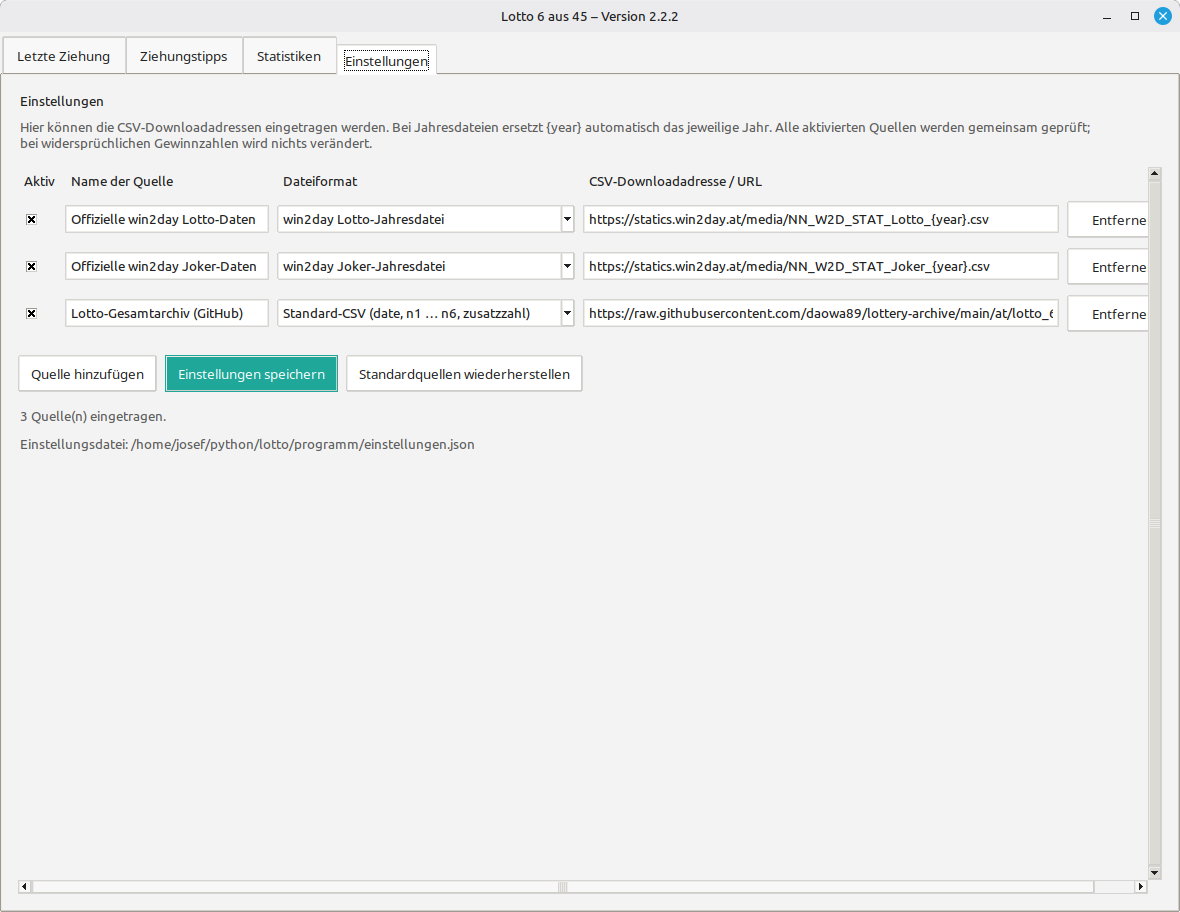
| Enabled | Only checked sources are used for updates. |
| Source name | A clear description of the download source. |
| File format | win2day Lotto, win2day Joker or a supported standard CSV. |
| Download address | HTTP or HTTPS URL; {year} is replaced with the required year automatically. |
Sources can be added, removed and saved. Restore default sources resets the list to the sources supplied with the program.
7. Typical workflows
Add draws from the internet
- Enable the required sources under Settings and save them.
- Open Latest draw and select Add from internet.
- Check and confirm the displayed source list.
- Read the result showing new, updated and unavailable sources.
Missing or rebuilt database
- If
lotto.dbis missing, it is rebuilt automatically from the master CSV. - If both the database and the master CSV are missing, the program stops with a clear error message.
- Use CSV → database for an intentional full rebuild.
Keyboard and buttons
| Command | Action |
|---|---|
| Ctrl+R | Reload the active tab. |
| Esc | Close the program. |
| Reload | Read the latest draw from the database again. |
| Copy tips | Copy all generated tips to the clipboard. |
8. Troubleshooting
- Online error: Check the internet connection, enabled checkbox, URL and selected file format.
- Unknown CSV structure: Assign the correct supported format to the source.
- Outdated display: Use Reload or Ctrl+R and then recalculate the statistics.
- Damaged settings: Restore the default sources and save again.
Integrated PHP edition of the illustrated HTML guide for version 2.2.2.